


01
Resume
Pasting your GitHub link — Why recruiters never click it
Discover why recruiters ignore your GitHub link and learn how to transform your profile into a tie-breaker that lands you more interviews.
12 min read•Resume Module
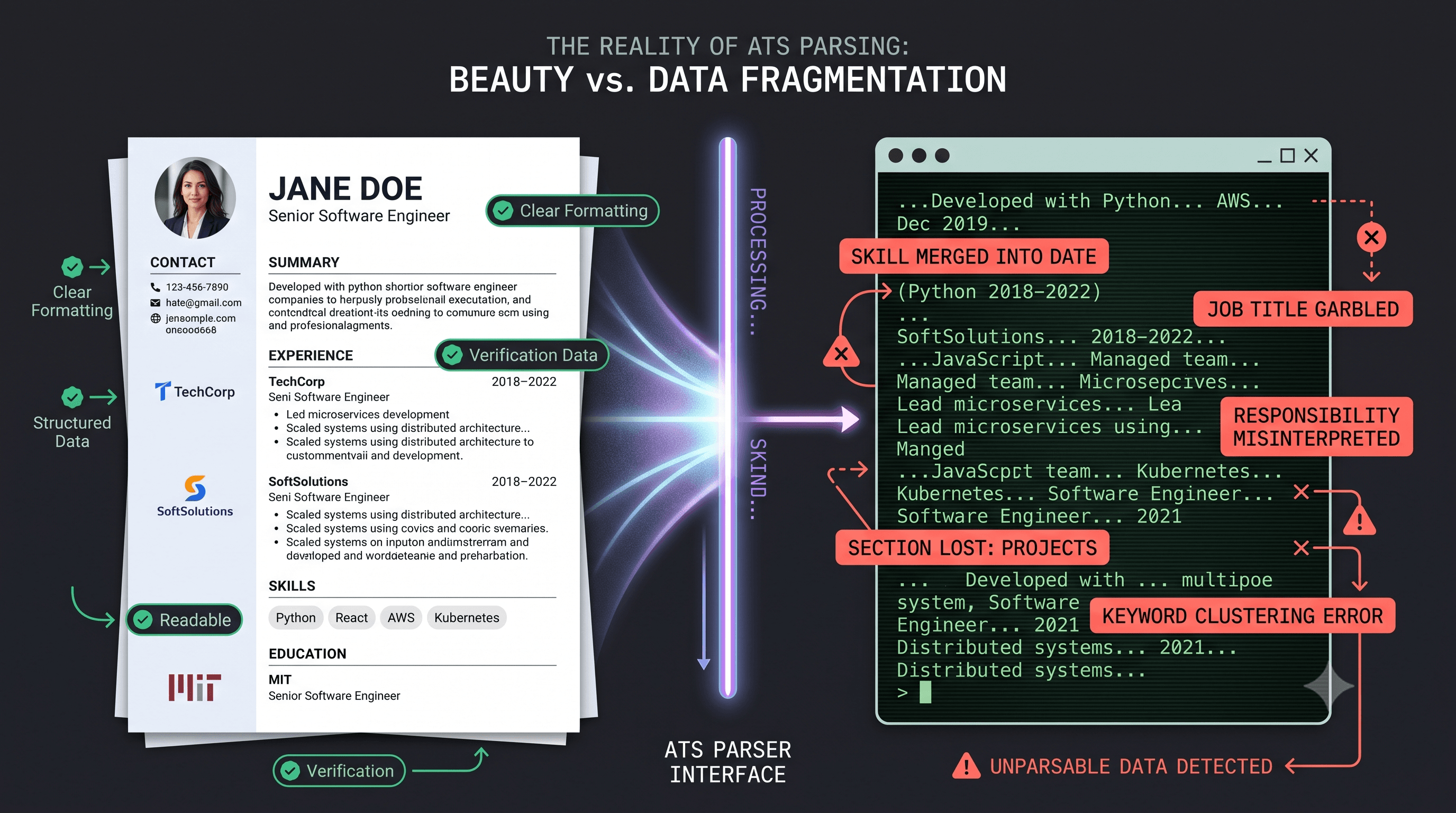
Applicant Tracking Systems (ATS) play a key role in the hiring process, helping companies filter and manage resumes. However, these systems sometimes fail to accurately parse resumes, leading to qualified candidates being overlooked. The scale of ATS parsing failures is significant, with about 80% of resumes triggering at least one parsing failure across more than 5,300 ATS scans.
Indian companies like TCS, Infosys, and Wipro rely heavily on ATS for initial resume screening. Understanding common ATS parsing failures helps job seekers create ATS-friendly resumes, increasing their chances of getting noticed by potential employers.
Some of the most common ATS parsing failures include:
To avoid these common pitfalls, it's essential to understand how ATS parsers work and tailor your resume accordingly.
When creating a resume, it's essential to consider how Applicant Tracking Systems (ATS) parse and interpret the layout. One common mistake is using multi-column layouts, which lead to serialization issues.
The Serialization Problem
ATS parsers convert documents to plain text by reading top-to-bottom, left-to-right. As a result, a two-column layout gets serialized as row 1 column 1, row 1 column 2, row 2 column 1, row 2 column 2. This means the visual structure, where a human reads column 1 entirely then column 2 entirely, is lost, and content becomes scrambled atsverification.com.
Workday's Strict Parsing
Workday, a popular ATS, is particularly strict with multi-column layouts and text boxes. It struggles significantly with these elements, often failing to parse content inside tables, even simple two-column tables for Skills sections. To avoid issues, it's recommended to use .docx saved from Word or a single-column PDF exported from Word or Google Docs loopcv.pro.
Comparison of Multi-Column vs Single-Column Layouts
Best Practice: Avoid Multi-Column Layouts
To ensure ATS compatibility, avoid multi-column layouts entirely and use a single-column layout to preserve visual structure and prevent serialization issues. This approach increases the chances of your resume being parsed correctly and making it through the ATS screening process.
When it comes to resume parsing, font and file format choices play an important role in ensuring that Applicant Tracking Systems (ATS) can accurately read and interpret the content. A study by ResumeLab in 2026 found that font choices significantly impact parsing success rates.
Font Parse Error Rates
Calibri and Arial have been confirmed to have under 2% parse error rates across all five major platforms. In contrast, Times New Roman has a parse error rate of 5-8% on older configurations. Script and display fonts have even higher error rates, exceeding 20%.
In addition to font choices, file formats also significantly impact ATS parsing. Most ATS systems strongly prefer .docx or standard, non-image-based PDFs. Files saved as .pages, .odt, or as scanned image PDFs where the text is actually a picture rather than selectable text will fail to parse.
Industry practices suggest that using .docx or standard non-image PDFs helps minimize parsing errors. It is recommended to avoid using design tools like Canva or Figma to create resumes, as they generate PDFs that are not ATS-friendly.

A common mistake job seekers make is using fonts that are not ATS-friendly or saving their resumes in formats that are not compatible with ATS systems.
When it comes to crafting a resume that can successfully navigate Applicant Tracking Systems (ATS), the importance of standardized section headings cannot be overstated. Many ATS systems struggle with creative or non-standard headings, which lead to critical information being misparsed or ignored.
Standard Headings vs. Creative Headings: A Comparison of Parsing Success Rates
A 2026 ATS parsing benchmark highlights the stark contrast in parsing success rates between resumes with standard headings and those with creative headings. An identical resume with standard headings parsed flawlessly, scoring 100/A with zero issues. In contrast, the same resume with creative headings such as 'A Little About Me,' 'Where I've Made an Impact,' 'What I'm Good At,' and 'Learning' was flagged for missing standard section headers, causing its score to drop to 95/A atsverification.com. This significant difference underscores the importance of adhering to conventional section titles.
Beyond standardized headings, the placement of contact information is another critical consideration. Many ATS systems are designed to focus on the body of the resume, often ignoring or misparsing header and footer content. To ensure that critical information, such as the candidate's name and contact details, is accurately captured, it is advisable to place this information in the document body. Headers should be reserved for branding elements that do not require parsing ireformat.com.
By adhering to these guidelines, job seekers can significantly enhance the compatibility of their resumes with ATS systems, ensuring that their qualifications and experience are accurately represented and easily discoverable by potential employers.
When it comes to resume writing for the Indian job market, there are several key takeaways that make a significant difference. Indian freshers, in particular, should prioritize creating ATS-friendly resumes to increase their chances of getting past the initial screening.
Date formatting trips up many ATS systems. A benchmark of 8 ATS systems tested four date formats: 'January 2022 - March 2024', 'Jan 2022 - Mar 2024', '01/2022 - 03/2024', and '2022 - 2024'. The results showed that inconsistent date formatting leads to parsing errors quickcv.io.
To ensure that your resume passes through ATS systems successfully, follow these best practices:
By following these simple tips, you increase your chances of getting your resume past the ATS and in front of a human recruiter.
ATS parsers convert documents to plain text by reading top-to-bottom, left-to-right. A two-column layout gets serialized as row 1 column 1, row 1 column 2, row 2 column 1, row 2 column 2, completely scrambling the visual structure. Workday and other strict systems are especially prone to failing on multi-column layouts, tables, and sidebars, often merging your skills section into your work history. Stick to a single-column layout so the parser reads your experience in the correct order.
Most ATS systems strongly prefer .docx saved from Microsoft Word or a standard, non-image-based PDF exported from Word or Google Docs. Avoid .pages, .odt, or scanned image PDFs where text is a picture. For fonts, Calibri and Arial consistently have under 2% parse error rates across all major platforms, while Times New Roman shows 5–8% errors on older systems, and any script or display font exceeds 20% errors. Use a common, clean font and a .docx or properly generated PDF.
No. A 2026 ATS benchmark showed that an identical resume with standard headings parsed perfectly (100/A), while the same resume with creative headings like “Where I’ve Made an Impact” dropped to 95/A purely because the section map became unreadable. Many ATS systems rely on standard headings (e.g. “Experience,” “Education,” “Skills”) to extract and categorize information. Use plain, conventional section headings to ensure every job and skill is correctly identified.
No. Many ATS parsers ignore or misparse content placed in headers and footers. If your name or contact information appears only there, the parser may not find it, causing your resume to be flagged as missing critical fields. Place all key information—name, phone, email, LinkedIn—in the main body of the document, and reserve headers only for branding elements that don’t need to be parsed.
Discover why recruiters ignore your GitHub link and learn how to transform your profile into a tie-breaker that lands you more interviews.
Discover the real trade-offs of ATS-friendly resumes: parsing pitfalls, myth-busting stats, and data-driven strategies to boost your callback rate in Indian ...

Learn the four critical system design mistakes freshers make in interviews and discover structured approaches to ace your next technical interview.


