


01
Resume
3 Resume Formatting Errors That Break ATS Parsers
Discover the three most common resume formatting errors that break ATS parsers and learn how to fix them for better job application success.
10 min read•Resume Module
When it comes to GitHub profiles, first impressions matter. Recruiters often have limited time to scan profiles, and if your most impressive work isn't immediately visible, it may be missed entirely. In fact, recruiters spend an average of 30 seconds scanning a GitHub profile initially Medium. If your profile isn't optimized, your chances of getting noticed may be slim.
To make the most of this 30-second window, it's essential to prioritize clarity and visibility. This means showcasing your most impressive work front and center, rather than burying it deep within your profile. A well-structured profile not only helps recruiters quickly understand your skills and experience but also demonstrates your ability to communicate complex ideas effectively.
A poorly structured profile, on the other hand, can be a significant barrier to getting noticed. Even AI-powered tools can't save a profile that's difficult to navigate or understand. By taking the time to optimize your GitHub profile, you can increase your chances of getting noticed by recruiters and take the first step towards landing your dream job.
To optimize your profile, focus on making your most impressive work immediately visible. This may involve reorganizing your repositories, updating your profile description, or adding more context to your projects. By doing so, you can ensure that your skills and experience shine through, even in a short 30-second scan.

When it comes to tech recruitment, a GitHub profile can be a make-or-break factor. Industry surveys show that 60 to 80 percent of tech recruiters at least glance at linked GitHub profiles for mid-to-senior roles, with deeper dives occurring in 40 to 50 percent of cases for specialized positions fonzi.ai. This raises a crucial question: what do recruiters and AI parsers look for when evaluating a GitHub profile?
Recruiters typically scan GitHub profiles to gauge a candidate's technical expertise, coding skills, and contributions to the developer community. They look for indicators of activity, such as the number of repositories, commits, and pull requests. AI parsers, on the other hand, use machine learning algorithms to analyze GitHub profiles and repositories, tagging skills and frameworks, ranking candidates by public activity volume, and generating summaries fonzi.ai.
When it comes to recruiter manual scans, they tend to focus on overall profile completeness, repository quality, and contribution history. AI parsers, on the other hand, use machine learning algorithms to analyze code syntax, tag relevant technologies, and quantify contribution metrics.
By understanding what recruiters and AI parsers look for in a GitHub profile, developers can optimize their profiles to increase their visibility and appeal to potential employers. This includes ensuring profile completeness, showcasing high-quality repositories, and demonstrating a strong contribution history.
When it comes to showcasing your skills to potential employers, your GitHub profile can be a valuable asset. However, there are certain mistakes that can raise red flags and hurt your chances of landing a job.
A well-maintained GitHub profile is essential for demonstrating your coding skills and experience. Employers and recruiters often review GitHub profiles to assess a candidate's technical abilities and contributions to the developer community.
One common mistake is having private repositories or an empty profile. This can give the impression that you have something to hide or that you are not actively contributing to the developer community. According to resume.io, common GitHub profile mistakes include linking to a private repository, listing an empty or outdated profile, poor project documentation, lacking code quality, and listing GitHub in skills section only.
Poor documentation and low code quality can also weaken your credibility. If your code is not well-documented or is of poor quality, it may indicate to potential employers that you are not detail-oriented or that you lack coding skills.
Listing GitHub only in the skills section of your resume may also fail to direct attention to your profile. It's essential to showcase your GitHub profile in a way that highlights your skills and experience.
To avoid these mistakes, make sure to maintain a well-documented and active GitHub profile. Ensure that your code is of high quality, and that your profile is not empty or outdated. Additionally, consider showcasing your GitHub profile in a more prominent way, such as through a link on your resume or in a cover letter.
By being mindful of these common mistakes, you can use your GitHub profile to demonstrate your skills and experience, and increase your chances of landing a job.
When recruiters sift through numerous resumes, they dedicate a mere 6 seconds to the initial scan of each application Flatiron School. This brief window is crucial, especially for entry-level candidates, as it often determines whether they progress to the next stage. For these candidates, the Projects section of their resume is particularly critical. If a project appears interesting, recruiters are likely to explore any linked demos, videos, or documentation.
The challenge recruiters face is staggering. They often have to select just 2 candidates out of 500+ applications. Even after applicant tracking systems (ATS) or AI tools filter out 300+ resumes, the remaining candidates often seem equally qualified on paper LinkedIn. This is where a well-curated GitHub profile can make a significant difference. It provides a platform for candidates to showcase their projects, share their coding journey, and demonstrate their skills beyond the limitations of a traditional resume.
In this context, GitHub serves as a critical tool for candidates to stand out. It allows them to share their work, collaborate with others, and build a portfolio that can be easily discovered by recruiters. By leveraging GitHub, candidates can turn their projects into a dynamic portfolio that speaks louder than a resume alone. This is particularly valuable in fields like software development, data science, and cybersecurity, where showcasing projects and contributions is essential.
The importance of having a strong online presence, particularly on platforms like GitHub, cannot be overstated. It not only helps candidates get noticed but also provides them with an opportunity to demonstrate their expertise and passion for their field. As the job market continues to evolve, it's clear that a professional online presence is no longer a nicety but a necessity for those looking to advance their careers in tech.
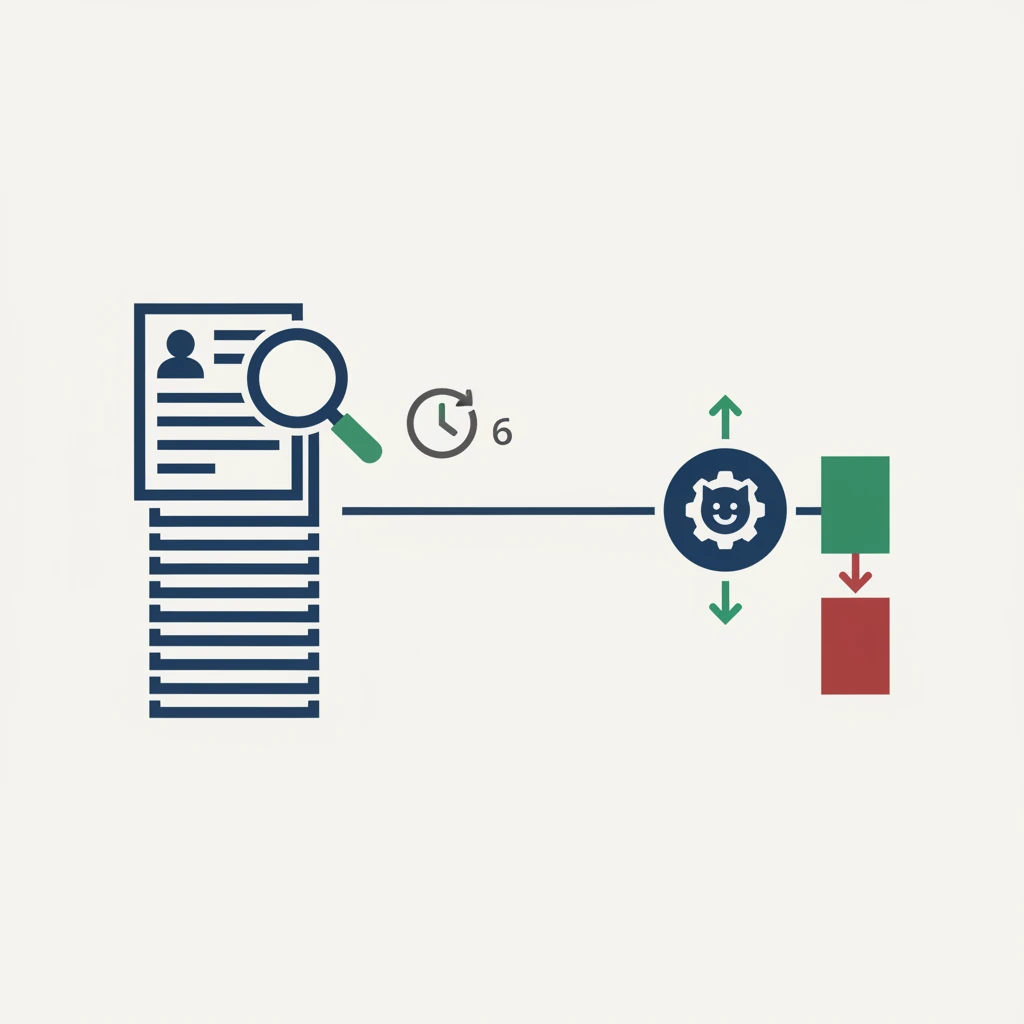
A strong GitHub profile can be a powerful tie-breaker among similar applicants, while a weak or quiet one rarely disqualifies strong candidates. In the competitive Indian job market, a well-crafted GitHub profile can make all the difference in securing a job offer. Industry practices suggest that recruiters and AI parsers evaluate GitHub profiles based on several key criteria [fonzi.ai].
A strong GitHub profile showcases a developer's skills, experience, and passion for coding. It provides a tangible demonstration of their technical abilities, allowing recruiters to assess their potential for success in the role. In India, where the competition for jobs is high, a strong GitHub profile can help freshers and early-career developers stand out from the crowd.
To optimize your GitHub profile for placements, focus on showcasing your best work, including projects and contributions to open-source initiatives. Ensure that your profile is complete, up-to-date, and easy to navigate. Use clear and concise language in your commit messages, and provide context for your projects.
For Indian freshers and early-career developers, a strong GitHub profile can be a valuable asset when pursuing job opportunities. Here are some strategies to optimize your GitHub profile:
By following these strategies, you can turn your GitHub profile into a powerful tie-breaker signal that sets you apart from other applicants in the competitive Indian job market.
As a developer, your GitHub profile is often the first impression recruiters have of your technical abilities. But do you know what recruiters are really looking for when they scan your profile? Take this quiz to test your knowledge and learn how to optimize your GitHub profile to get noticed.
Let's see how you do!
Yes, it’s not a myth. Industry surveys show that 60 to 80 percent of tech recruiters at least glance at linked GitHub profiles for mid-to-senior roles, and for specialized positions they dive deeper 40 to 50 percent of the time. Many recruiting teams also use AI tooling that automatically parses your repositories to tag skills, rank activity, and generate summaries—so your profile gets reviewed even before a human recruiter sees it.
Recruiters spend an average of just 30 seconds scanning your GitHub profile during the initial check. Your most impressive work must be immediately visible—if they have to dig through empty repos, private projects, or poor documentation, they will skip it entirely. For entry-level applicants, this 30-second window often follows a 6-second resume scan, so clear, clickable project links with demos or videos are critical.
The five fatal mistakes include: linking to a private repository that the recruiter can’t view, having an empty or outdated profile with no recent commits, poor project documentation (missing READMEs or setup instructions), inconsistent or sloppy code quality, and listing “GitHub” only in the skills section without providing a link or highlighted repositories. Any of these instantly signals a lack of professionalism and kills the recruiter’s interest.
A weak or quiet GitHub profile rarely disqualifies strong candidates—it’s not a dealbreaker on its own. However, when recruiters have to choose between two equally qualified applicants (and they often face 500+ applications per role), a thoughtful, well-maintained GitHub profile becomes a powerful tie-breaker. A polished profile with clear projects, good documentation, and consistent activity can tip the scales in your favor without ever counting against you.
Discover the three most common resume formatting errors that break ATS parsers and learn how to fix them for better job application success.
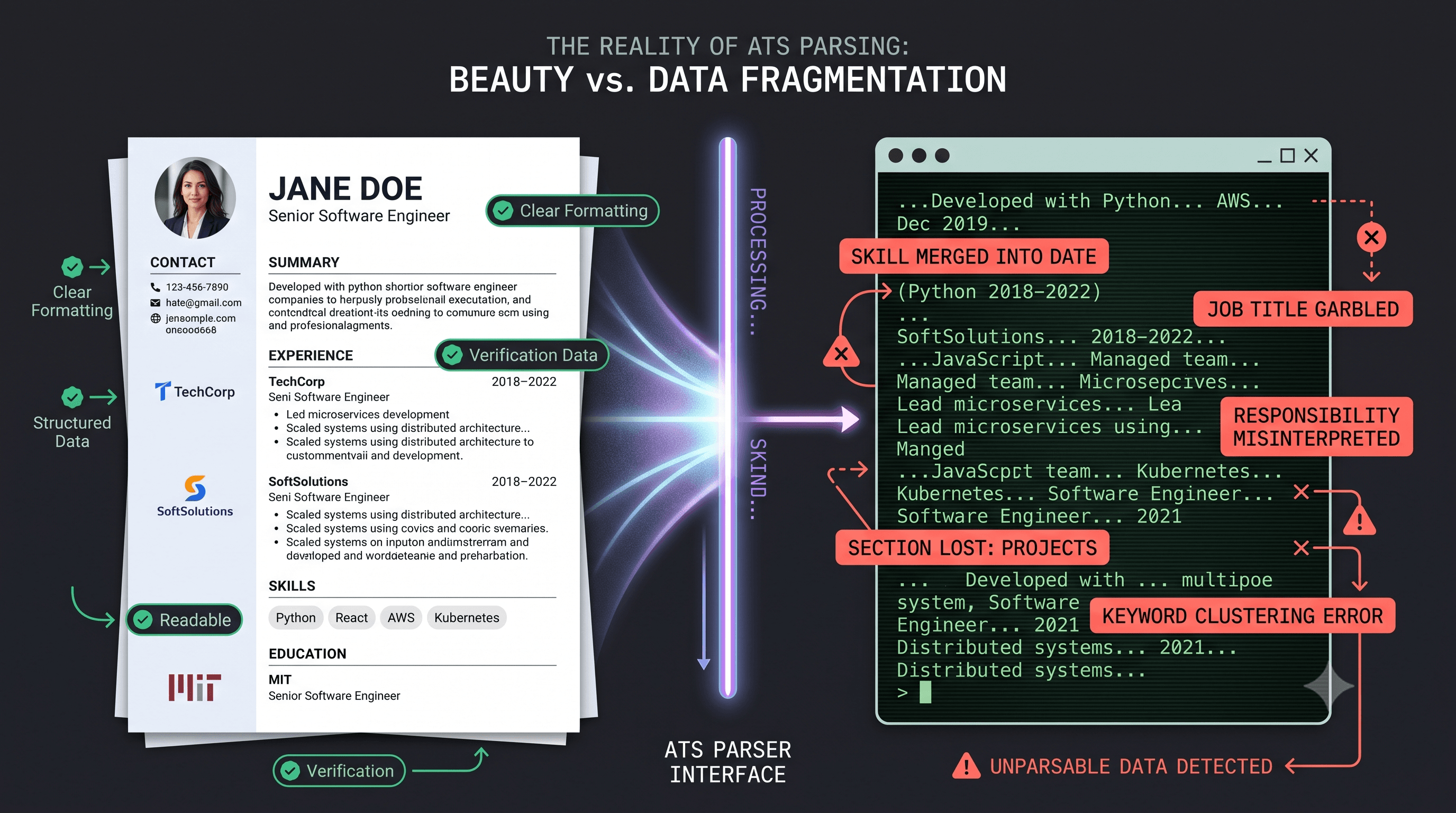
Discover the real trade-offs of ATS-friendly resumes: parsing pitfalls, myth-busting stats, and data-driven strategies to boost your callback rate in Indian ...

Learn the four critical system design mistakes freshers make in interviews and discover structured approaches to ace your next technical interview.


